AI Survival Horror Video From a Photo
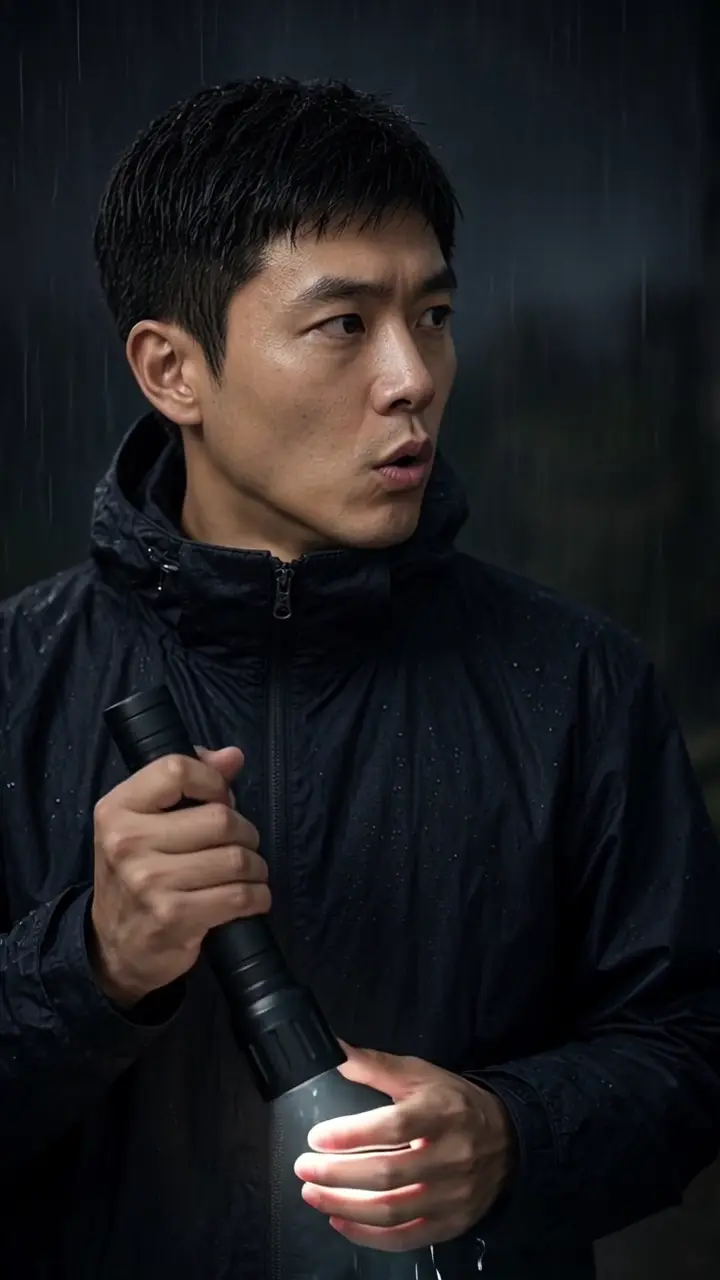
Upload one photo. Seedance 2.0 mini renders a 15-second vertical clip, 9:16, at 480p, for 50 credits, with sound. The sample on this page is the published rainy flashlight file, made from an AI-generated test face.
Quick answers4 questions
- What does the AI Survival Horror Video From a Photo effect make?
- AI survival horror video from one photo: 15s, 9:16, 480p, 50 credits, Seedance 2.0 mini. Refunded if it fails.
- How much does a AI Survival Horror Video From a Photo video cost?
- 50 credits per 15-second video. Credit packs start at $14.99 for 150 credits and don't expire. If a render fails, the credits go back automatically.
- What do I need to upload?
- One clear, front-facing photo of yourself. Good light, eyes visible, no sunglasses.
- How long is the video, and how long does it take?
- Every video is 15 seconds, vertical 9:16, saved as an MP4. Rendering usually takes about 2–4 minutes.
✓Stays consistent
- Your face and identity
- Rain, flashlight and zombies
- Vertical 9:16 framing
~Varies each render
- Street or corridor and camera moves
- Your outfit can follow your photo
Create your video
Upload one clear photo. One person, face visible, good light.
Changes mood & expressions, not faces or the setting.
720p unlocks with the Studio pack ($49.99). Starter and Creator render in 480p.
Sample output
What to expect
✓Stays consistent
- Your face and identity
- Rain, flashlight and zombies
- Vertical 9:16 framing
~Varies each render
- Street or corridor and camera moves
- Your outfit can follow your photo
AI Survival Horror Video From a Photo samples
Full-length clips with sound. Tap a clip to play.
What an AI survival horror video from a photo does
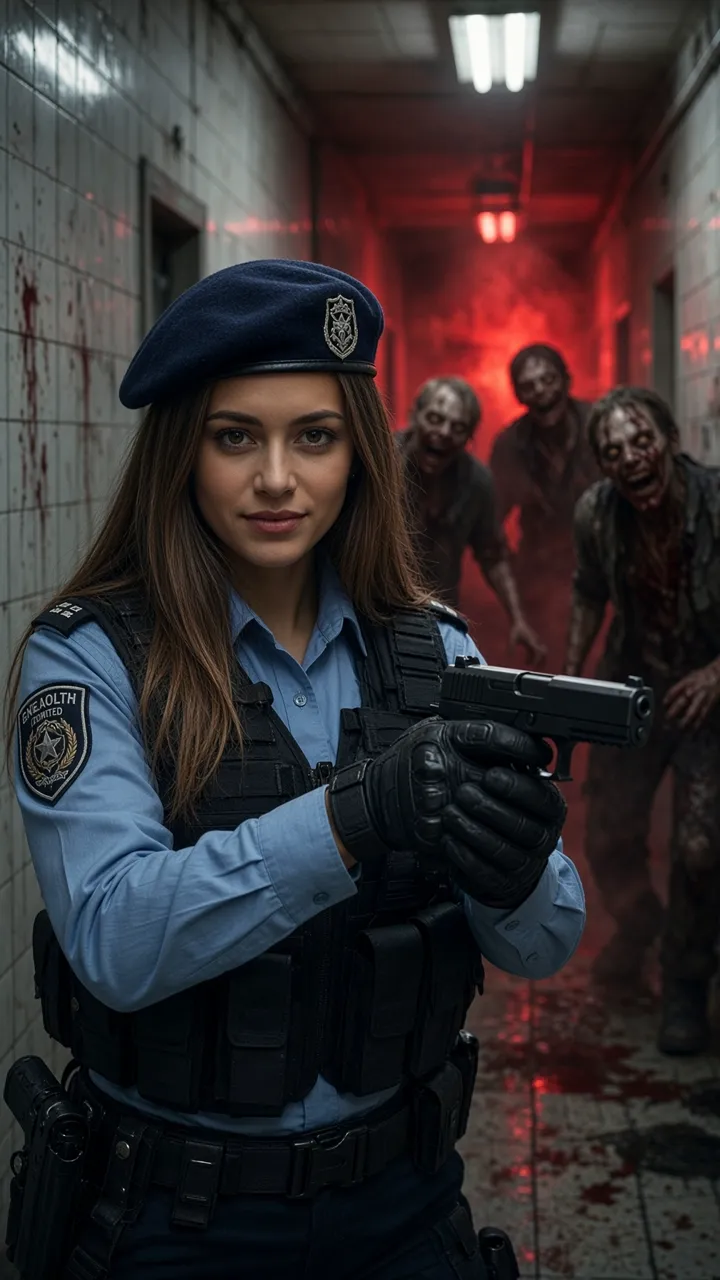
You upload one photo and become the person in a 15-second vertical survival-horror video. Seedance 2.0 mini builds the scene: heavy rain over a ruined city street, a dark corridor with peeling walls, a flashlight, and figures closing in. The listed render is 480p. The Studio pack unlocks 720p on the same 50-credit price.
The published sample is the file on this page. Measured 2026-10-28, that MP4 is 15.04 seconds, 720×1280, H.264, with an AAC stereo track. It was made from an AI-generated test face. The scene is original. HiVideoStudio is not affiliated with Capcom or the Resident Evil films. Your face comes from your photo. The street, the corridor, the flashlight, and the figures come from the effect.
Where this clip fits
Format, photos, and credits for this effect.
TikTok, Reels, and Shorts
The render is a 15-second MP4 at 9:16, with sound. The listed resolution is 480p. The Studio pack unlocks 720p at the same credit price. The scene is original and is not affiliated with Capcom or the Resident Evil films.
One photo
Upload one photo, JPG, PNG, or WEBP, up to 10 MB, face visible. A short direction, such as a red jacket or more rain, is optional.
50 credits
One 15-second video costs 50 credits, shown before you generate. A render usually takes about 2 to 4 minutes.
If the render fails
Credits are taken when the render starts. If it fails or is blocked, they are refunded in full.
How to make a AI Survival Horror Video From a Photo video in 3 steps
- 01
Upload one photo
A sharp, well-lit, front-facing photo of one person with the whole face visible. JPG, PNG or WEBP.
- 02
Add a direction (optional)
A short note such as a red jacket, a darker corridor or more rain. Leave it empty for the default scene.
- 03
Generate
50 credits per 15-second clip, shown before you start. It usually takes 2 to 4 minutes, and the clip lands in your Library. Failed or blocked renders are refunded in full.
Which photos work best
Works well
- Use a sharp, well-lit photo
- Face the camera with the whole face visible
- Use a photo with one person only
Avoid
- Cover the face with sunglasses, hands, hair or a phone
- Upload group shots
- Use blurry or heavily filtered images
- Upload photos of people without their consent
How much does it cost? Is it free?
50 credits per 15-second video, shown before you generate. Credits are deducted when the render starts and refunded automatically if it fails or is blocked.
| Option | Credits | Best for |
|---|---|---|
| First-frame preview | Free | Checking your photo (watermarked still) |
| 15s | 50 | A 15-second 9:16 clip with sound |
1 video = 15s. One price per video, no subscription needed. See all packs.
Specs
- Output
- MP4 video with sound
- Model
- Seedance 2.0 mini
- Aspect ratio
- 9:16 vertical
- Length
- 15 seconds (1 video = 15s)
- Resolution
- 480p (720p with the Studio pack)
- Inputs
- 1 photo (JPG, PNG or WEBP), optional text direction
- Typical time
- About 2 to 4 minutes
- Price
- 50 credits per video, refunded if it fails
Can I post it on TikTok, Reels or Shorts?
- Only upload photos of yourself or of people who agreed to be in the clip.
- Do not upload photos of minors without a parent or guardian's consent.
- Mark the clip as AI-generated with your platform's AI label.
- Do not present the clip as footage from any game or film.
Why survival horror this October
A new Resident Evil film has been in cinemas since September 2026, and Halloween falls on a Saturday this year. Short horror clips where you are the one holding the flashlight are an easy way to join in without a costume. This effect makes an original scene in that style; it is not official material and is not endorsed by anyone involved with the games or films.
Background and guides
More for Halloween
- Photo tips for this effect: How to frame the still, and what the published 15-second sample shows.
- Halloween effects: AI Zombie, Thriller Dance, and this effect, each with a published sample clip.
- Resident Evil (2026): film facts: The film this October, plus a fan-made AI short. That short is not this effect's output.
- AI Zombie templates: Turn into the zombie instead of running from one.
FAQ
What is the Survival Horror effect?
Upload one photo and you become the survivor in a 15-second horror scene with rain, a flashlight and zombies.
How much does it cost?
50 credits per 15-second video. If a render fails or is blocked by the safety filter, the credits come back automatically.
Is this official Resident Evil content?
No. HiVideoStudio is not affiliated with Capcom, Sony Pictures or the films. The scene is original and uses no characters, logos or footage from them.
Why was my render blocked?
The video engine runs its own safety check. Photos of minors, public figures or anything explicit can be blocked. Try a different photo; blocked renders are refunded in full.
How long does it take?
Usually about 2 to 4 minutes.