Thriller Dance AI Video Generator
Pick a dance template, upload one photo, and lead a zombie-style Halloween group dance: same moves, same backup crew, your face. Every clip is 15 seconds.
Quick answers4 questions
- What does the Thriller Dance effect make?
- Lead a zombie-style Halloween group dance from one photo. Pick a template, upload your photo, get a 15-second clip. 50 credits, refunded if it fails.
- How much does a Thriller Dance video cost?
- 50 credits per 15-second video. Credit packs start at $14.99 for 150 credits and don't expire. If a render fails, the credits go back automatically.
- What do I need to upload?
- One photo of yourself. You pick a template first, then add your photo.
- How long is the video, and how long does it take?
- Every video is 15 seconds, vertical 9:16 or horizontal 16:9 depending on the template, saved as an MP4. Rendering usually takes about 2–4 minutes.
✓Stays consistent
- Your face and identity
- The template's dance moves and timing
- The backup dancers and camera framing
~Varies each render
- Your outfit and the light can follow your photo
- Small details of hands and steps
Make your version
50 credits · 15sStep 2Add your photo
We keep your face and put you in the template’s routine. Moves, backup dancers and framing come from the template; your clothes and light can come from your photo. One clear photo of one face, looking at the camera, works best.
Your photo is uploaded only when you press Generate.
720p unlocks with the Studio pack ($49.99). Starter and Creator render in 480p.
Sample output
What to expect
✓Stays consistent
- Your face and identity
- The template's dance moves and timing
- The backup dancers and camera framing
~Varies each render
- Your outfit and the light can follow your photo
- Small details of hands and steps
Thriller Dance samples
Full-length silent clips (add your own sound when you post). Tap a clip to play.
What the Thriller Dance effect does
Every October the same dance comes back: a lead dancer out front, a crowd of zombies behind, everyone hitting the same arm raises, claw hands, shoulder shakes and stomps at once. This effect puts you in that lead spot from one photo. You pick a template, upload a clear picture of yourself, and the AI copies the template routine move for move with your face on the lead dancer, while the backup dancers keep going behind you.
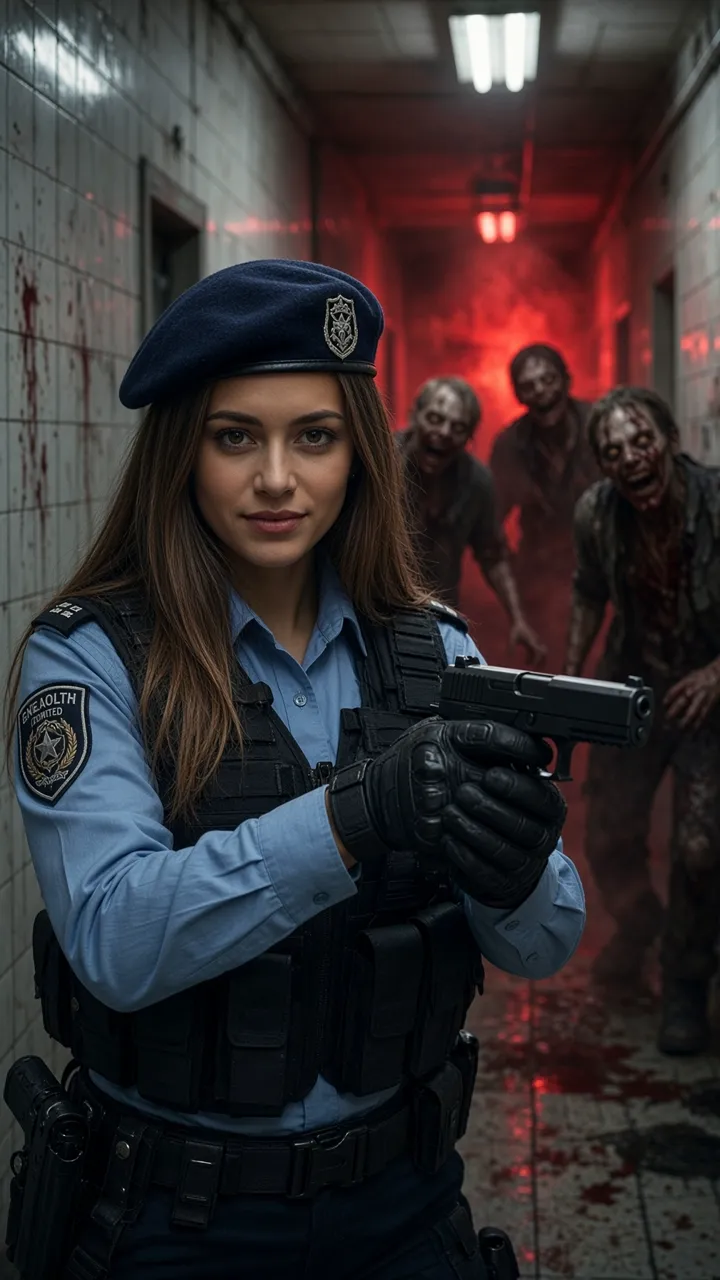
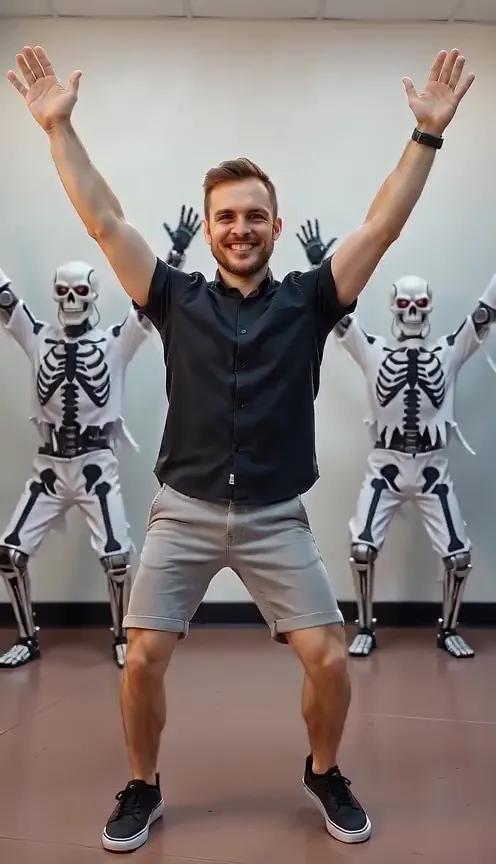
There are two templates. Skeleton hallway is vertical 9:16: you lead a row of dancers in skeleton costumes down a long hallway. Zombie street is horizontal 16:9: you dance at the front of a full zombie crowd on a city street. Each clip is 15 seconds and silent, so you can drop in the sound you want when you post. The choreography and framing stay close to the template; your clothes, and sometimes the light, come from your photo.
Where this clip fits
Format, photos, and credits for this effect.
Template picks the frame
Each clip is a silent 15-second MP4. Skeleton hallway is vertical 9:16. Zombie street is horizontal 16:9. Add a sound from the app's library when you post. The effect does not include a named song.
One photo and a template
Pick a template, then upload one photo, JPG, PNG, or WEBP, up to 10 MB, with the face visible.
50 credits
One 15-second video costs 50 credits, shown before you generate. The listed render is 480p. The Studio pack unlocks 720p on that same price. A render usually takes about 2 to 4 minutes.
If the render fails
Credits are taken when the render starts. If it fails or is blocked, they are refunded automatically. The MP4 is saved to your Library.
How to make a Thriller Dance video in 3 steps
- 01
Pick a template
Choose Skeleton hallway (vertical) or Zombie street (horizontal). Each one sets the dance, the backup crew and the camera framing.
- 02
Upload one photo
A sharp, well-lit photo of one person with the whole face visible. Night or dim photos match the spooky mood best.
- 03
Generate and post
50 credits per 15-second clip, shown before you start. It usually takes 2 to 4 minutes. Add your own sound in TikTok, Reels, Shorts or CapCut.
Which photos work best
Works well
- Use a sharp, well-lit photo
- Face the camera with the whole face visible
- Use a photo with one person only
- Pick a night or dim photo if you want a darker scene
Avoid
- Cover the face with sunglasses, hands, hair or a phone
- Upload group shots
- Use blurry or heavily filtered images
- Upload photos of people without their consent
How much does it cost? Is it free?
50 credits per 15-second video, shown before you generate. Credits are deducted when the render starts and refunded automatically if it fails or is blocked.
| Option | Credits | Best for |
|---|---|---|
| First-frame preview | Free | Checking your photo (watermarked still) |
| 15s | 50 | A silent 15-second dance. Skeleton hallway is 9:16. Zombie street is 16:9. |
1 video = 15s. One price per video, no subscription needed. See all packs.
Specs
- Output
- MP4 video, silent
- Aspect ratio
- Skeleton hallway 9:16 vertical, Zombie street 16:9 horizontal
- Length
- 15 seconds (1 video = 15s)
- Resolution
- 480p (720p with the Studio pack)
- Audio
- None. Add your own sound when you post
- Inputs
- 1 template choice plus 1 photo (JPG, PNG or WEBP)
- Typical time
- About 2 to 4 minutes
- Price
- 50 credits per video, refunded if it fails
Can I post it on TikTok, Reels or Shorts?
- Only upload photos of yourself or of people who agreed to be in the clip.
- Do not upload photos of minors without a parent or guardian's consent.
- Mark the clip as AI-generated with your platform's AI label.
- Do not present the clip as real footage or suggest that any artist or brand endorses it.
About the zombie dance trend
Zombie group dances have been a Halloween party staple for decades, and every autumn short-video apps fill up with people recreating the routine with friends, coworkers or whole school classes. Doing it for real means learning the steps, getting a crew together and putting on face paint. A template makes the same kind of clip from one photo. People name the trend after a famous 1980s music video, but this effect recreates a generic zombie-style group dance. HiVideoStudio is not affiliated with, endorsed by or connected to any artist, label, estate or music video, and the effect does not use any real performer's likeness or music.
More for Halloween
- Halloween effects: The three Halloween effects on this site, and which of them have a sample video.
- AI Zombie templates: Want the full zombie look instead of the dance? Pick a horror scene and turn into one.
- Resident Evil 2026: survival horror ideas: Survival-horror video ideas if your Halloween leans scary rather than silly.
- Zombie Halloween 2026 guide: Where the zombie video trend came from and how people are posting it this October.
FAQ
What is the Thriller Dance effect?
It puts you in the lead spot of a zombie-style group dance. Pick one of two templates, upload one photo, and the AI copies the template choreography with your face on the lead dancer.
How much does it cost?
50 credits per 15-second video, shown before you generate. If a render fails or is blocked, the credits come back automatically.
Does the video have music?
No. Clips are silent on purpose because the songs people use for this trend are copyrighted. Add a track from your app's sound library when you post.
Is this connected to the original music video or the artist?
No. HiVideoStudio is not affiliated with, endorsed by or connected to any artist, label, estate or music video. The effect recreates a generic zombie-style group dance and does not use any real performer's likeness.
Will my outfit match the template?
Not always. The moves, the backup dancers and the framing follow the template closely, but your clothes and sometimes the lighting come from your photo. A night or dim photo gives a spookier result.
Is it vertical?
Skeleton hallway is vertical 9:16 for TikTok, Reels and Shorts. Zombie street is horizontal 16:9.
Can I do it with friends?
Each clip has one lead dancer. Make one clip per friend and cut them together for a full crew routine.
How long does it take?
Usually about 2 to 4 minutes.