Trending now · Ozil goal trend
Ozil goal AI. Your photo takes the shot.
Upload one photo and we drop it into a floodlit, 15-second remake of the viral Özil goal. You're on the ball, the net is empty, and the stadium is watching. No prompt to write.
- 1photo in
- 15svertical video
- 50credits
- 2–4min render
Make your Ozil goal video
0/1 photo- Free watermarked preview first. 50 credits only when you animate.
- Usually 2–4 minutes to render. Saves to your Library. Credits never expire.
What is the Ozil goal AI trend?
Some goals get replayed for years. One late winner from a 2016 European club match is one of them. The scorer chipped the onrushing keeper, sent two defenders sliding helplessly past, then rolled it calmly into the empty net. The Ozil goal trend borrows that moment and hands the ball to someone else.
Ozil goal AI on HiVideoStudio is a character swap, also called a recast. You upload one photo, and the scorer in a recreated 15-second scene becomes whoever is in it: you, a friend, a cartoon dinosaur. There's no prompt to write, no source clip to hunt down and no editing app.
The scene is an AI-generated remake, not broadcast footage. It isn't connected to any player, club or league. It's a tribute to a very good goal and a very good meme.
Why is the Ozil AI goal everywhere?
It's built for the feed: vertical, 15 seconds, one punchline. And the swap does the comedy for you. A dinosaur in a white kit finishing a Champions League chance is funnier than it has any right to be.
Real results: photo in, goal out
Every clip here is real output. The first three show the current product: one photo in, a 15-second 9:16 recast out. The small photo in each corner is exactly what was uploaded.
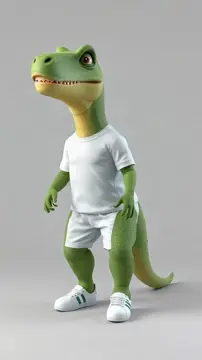 Input
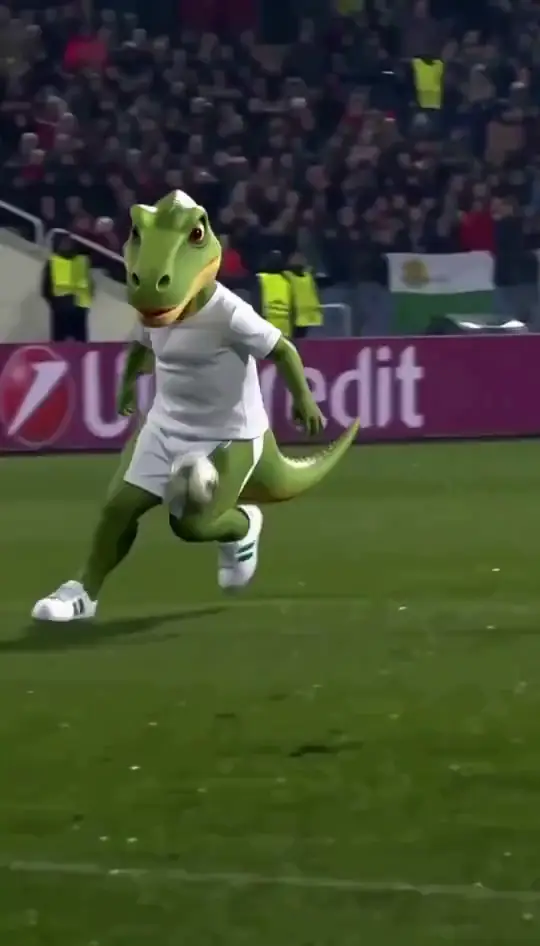
Dinosaur scores the Özil goal
Input: a 3D cartoon dinosaur in a plain white kit. Output: 15s recast at 768×1344.
 Input
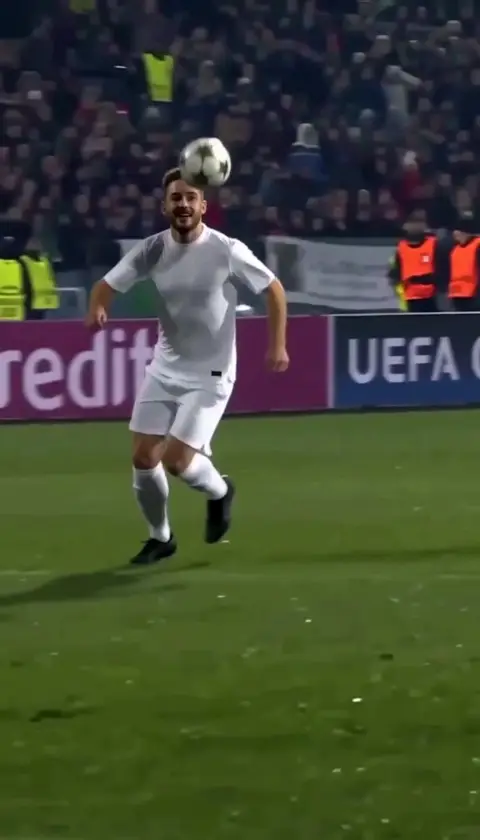
Man scores the Özil goal
Input: a waist-up portrait of a smiling man in a dark shirt. Output: 15s recast at 768×1344.
 Input
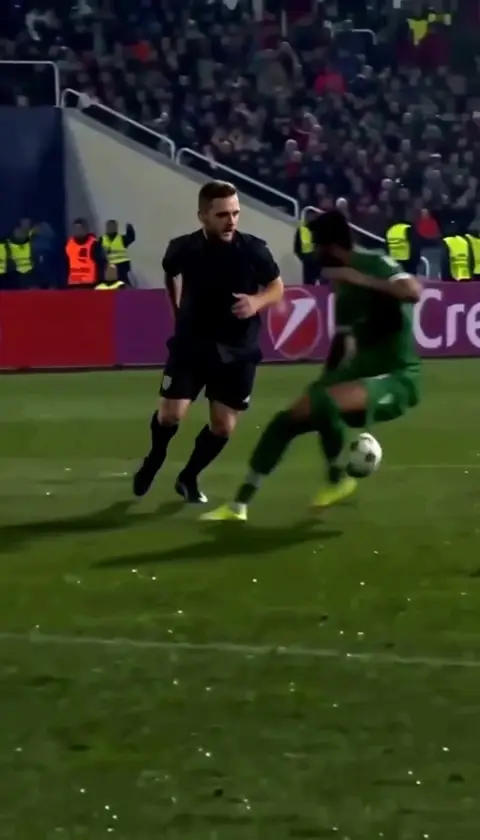
Real end-to-end run on the live site
The same portrait, taken through the actual product flow: upload, sign-in, credits, download.
More 15-second Ozil goal clips
Full-length clips of the same trend: the dribble past the sliding defenders, then the shot. Press play for the 15 seconds with sound.
Dark training top: keeper beaten, two tackles missed
A 15s Ozil goal clip from a user: past a diving keeper, the ball over the head, two sliding defenders, then the shot. 480×854. French commentary kept from the original.
Grey kit: two defenders in white end up on the grass
Another user clip of the same move under floodlights: keeper beaten, ball flicked up, two sliding defenders, shot. 480×854. French commentary kept from the original.
Red sequins versus a wizard and a reaper
A user clip at 720×1280: same run, any outfit, any opponents. French commentary kept from the original.
Make an Ozil goal AI video in 3 steps
One photo, no prompt, and the cost shown before you spend anything.
Upload one photo
One person or character, face visible, waist-up or full body. JPG, PNG or WEBP up to 10 MB. No photo handy? Use the dinosaur or portrait sample.
Check the free preview
Tap Free preview to see a watermarked first frame of your scorer. It costs nothing, and you can swap photos as often as you like.
Generate and download
Generate spends 50 credits and starts the 15-second render. First time? Sign in with Google and your photo waits on this device. Renders usually take 2–4 minutes and land in your Library.
Where this clip fits
Format, the photo, and the credit cost for the 15-second render.
TikTok, Reels, and Shorts
The render is a 15-second MP4 at 9:16, with sound from the base clip. That frame fits TikTok, Reels, and Shorts.
One photo
Upload one photo, JPG, PNG, or WEBP, up to 10 MB. One person, pet, or character, face visible. Waist-up or full body works. The move comes from the reference clip.
50 credits
One 15-second video costs 50 credits, shown before you generate. The watermarked first-frame still is free. Starter and Creator packs render at 480p. The Studio pack unlocks 720p on the same 50 credits. A render usually takes about 2 to 4 minutes.
If the render fails
Credits are taken when you generate. If the render fails or is blocked, the 50 credits are refunded automatically. The MP4 is saved to your Library.
Which photos work best
The scorer's face needs to read clearly, so one well-lit subject wins every time.
Works well
- One person or character in the photo
- Face visible and facing the camera
- Waist-up or full body, even light
- Plain or simple background
Avoid
- Group shots or crowded backgrounds
- Sunglasses, masks or hands over the face
- Tiny, blurry or heavily filtered images
- Photos of anyone who hasn't agreed
How much does an Ozil goal AI video cost?
50credits per 15s video
Uploading and the watermarked preview cost nothing. Credits are only spent when you tap Generate, and they come back automatically if the render fails. Packs are one-off Stripe purchases and never expire.
| Pack | Credits | Ozil videos | Left over |
|---|---|---|---|
| Starter$14.99 | 150 | 3 | 0 |
| Creator$24.99 | 300 | 6 | 0 |
| Studio$49.99 | 700 | 14 | 0 |
Straight answer: Starter = 3, Creator = 6, Studio = 14 × 15s Ozil videos. Leftover credits work on any effect, such as AI Zombie (45 credits) or Burning Bridges AI (90).
Specs
- Output
- MP4 video
- Length
- 15 seconds, every time
- Aspect ratio
- 9:16 vertical
- Resolution
- 480p (720p with Studio pack)
- Input
- One photo · JPG, PNG or WEBP · max 10 MB
- Prompt
- None needed
- Preview
- Free watermarked first frame
- Render time
- Usually 2–4 minutes
- Cost
- 50 credits
- If it fails
- Credits refunded automatically
Can I post it on TikTok, Reels or Shorts?
- Consent first. Only upload photos of people who agreed to be in the video. For anyone under 18, that means a parent or guardian.
- Label it. TikTok, Instagram and YouTube ask for an AI-generated or altered-content label on realistic edits. Use it.
- Don't present it as real match footage, or as made or approved by a player, a club or a league.
- Keep it kind. It's a goal celebration, not a prank on someone who didn't sign up for it.
More 15-second effects
Same wallet, same credits, same refund rule.
Read more about the Ozil goal
The real match behind the trend, and what we learned testing it.
Ozil goal AI: questions
What is the Ozil goal AI trend?
It is a meme format built on a famous late winner from a 2016 European club match. The scorer chipped the keeper, sent two defenders sliding past, then finished calmly into an empty net. Ozil goal AI edits put someone else in the scorer's place, from friends to pets to cartoon characters.
How do I make an AI Ozil goal video with my own photo?
Upload one clear photo of a single person or character. Tap Free preview to check the watermarked first frame, then tap Generate, signing in with Google if asked. The 15-second video usually renders in 2–4 minutes and saves to your Library.
How much does an Ozil goal AI video cost? Is it free?
Uploading and the watermarked first-frame preview are free. The video costs 50 credits for 15 seconds. Starter (150 credits, $14.99) makes 3; Creator (300 credits, $24.99) makes 6; Studio (700 credits, $49.99) makes 14. Credits never expire.
How long does it take?
Usually 2–4 minutes for a 15-second render. You can close the tab while it runs; the finished video appears in your Library.
How long is the video, and what format?
Always 15 seconds, vertical 9:16, as an MP4 with sound. Starter and Creator packs render at 480p; the Studio pack unlocks 720p. There is no length picker: one video is one 15-second clip.
Can I use a photo of my pet, a toy or a cartoon?
Often, yes. The dinosaur example on this page came from a 3D cartoon character. Results vary more with non-human subjects, so check the free preview first. A clear, single subject on a plain background works best.
If I upload a famous footballer's photo, will the video show that player?
No. A footballer's photo doesn't bring the real player, or his real footage, into the video. You get an AI recast of whoever is in the photo. Only upload photos of people who agreed to it, which rules out celebrities and strangers.
What happens if a render fails?
Failed or blocked renders are refunded automatically, in full. The 50 credits go back to your wallet, usually within a minute. Your photo stays in the panel so you can try again.
Can I post it on TikTok, Reels or Shorts?
Yes, if everyone in the photo agreed. Label it as AI-generated with the platform's AI-content tag, and don't present it as real match footage. Never post videos of minors without a parent or guardian's consent.
Is this affiliated with a player, club or league?
No. HiVideoStudio is not affiliated with, sponsored by or endorsed by any player, club, league or broadcaster. The scene is an AI-generated recreation and does not use original match footage.
Your turn to score.
One photo, a free preview, then 15 seconds of glory for 50 credits.